


Delta
UX Designer
Activities - Challenges
2020 Sep - Present
Position
Time
Lumina is a fresh skincare brand dedicated to creating products that are clean, cruelty-free, and environmentally friendly. By using natural ingredients and sustainable packaging, the company hopes to redefine beauty standards. Lumina’s mission is to empower consumers to care for their skin while also caring for the planet.

Delta
UX Designer
Activities - Challenges
2020 Sep - Present
Position
Time
Lumina is a fresh skincare brand dedicated to creating products that are clean, cruelty-free, and environmentally friendly. By using natural ingredients and sustainable packaging, the company hopes to redefine beauty standards. Lumina’s mission is to empower consumers to care for their skin while also caring for the planet.


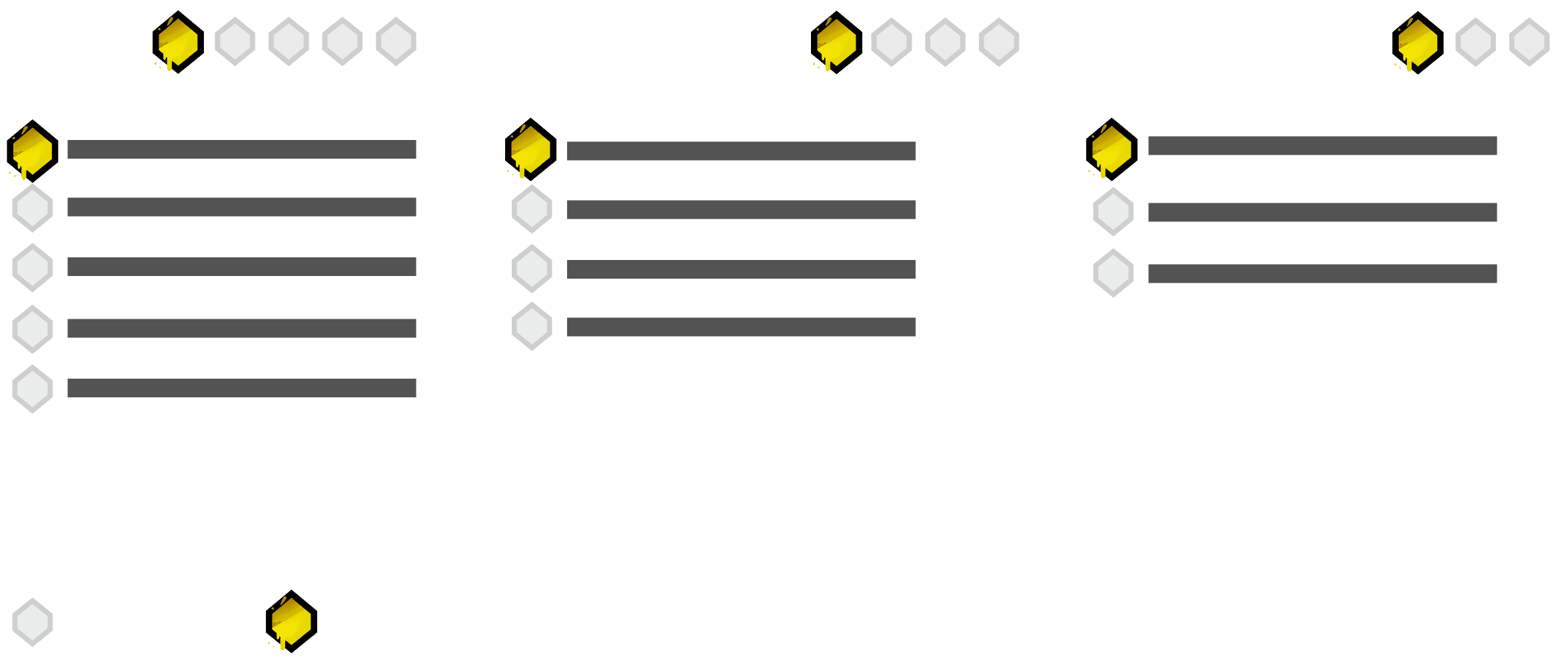
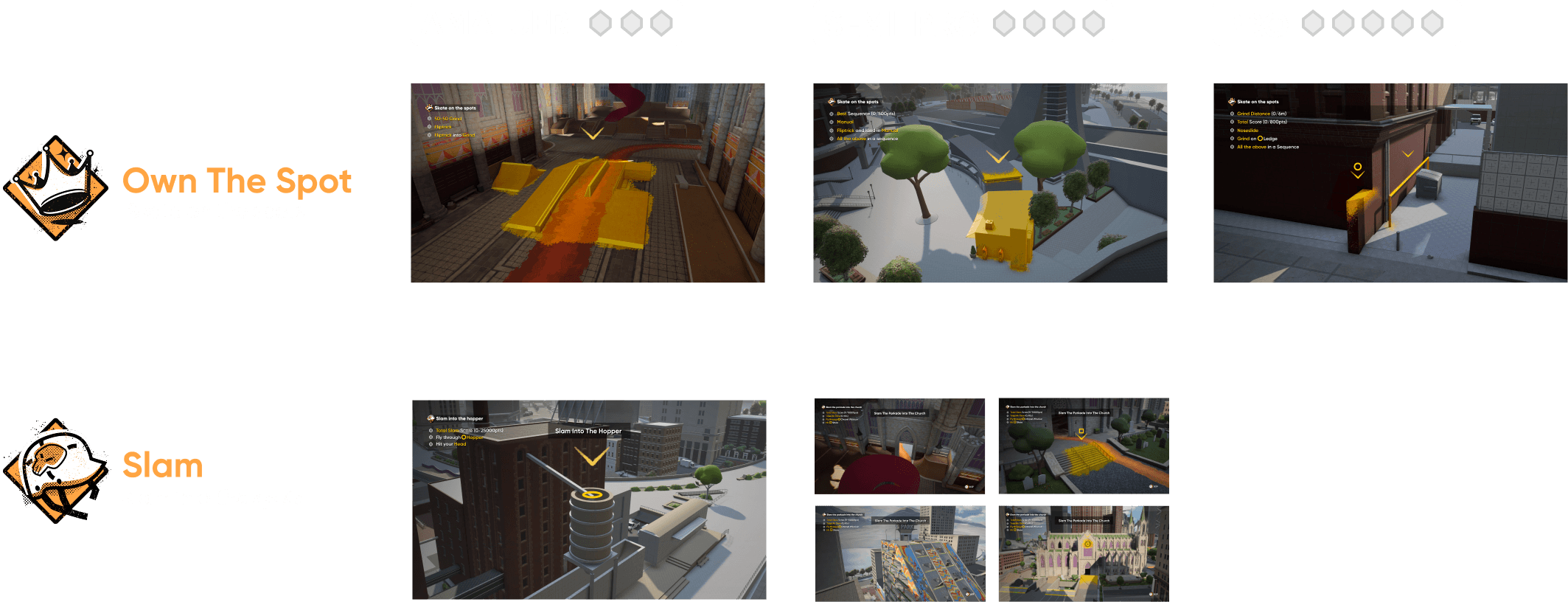
To accommodate scalability and variable completion, 3 difficulties are provided. Player can complete part of goals. Difficulty widget can visualize num of completed / all goals


To accommodate scalability and variable completion, 3 difficulties are provided. Player can complete part of goals. Difficulty widget can visualize num of completed / all goals


To accommodate scalability and variable completion, 3 difficulties are provided. Player can complete part of goals. Difficulty widget can visualize num of completed / all goals


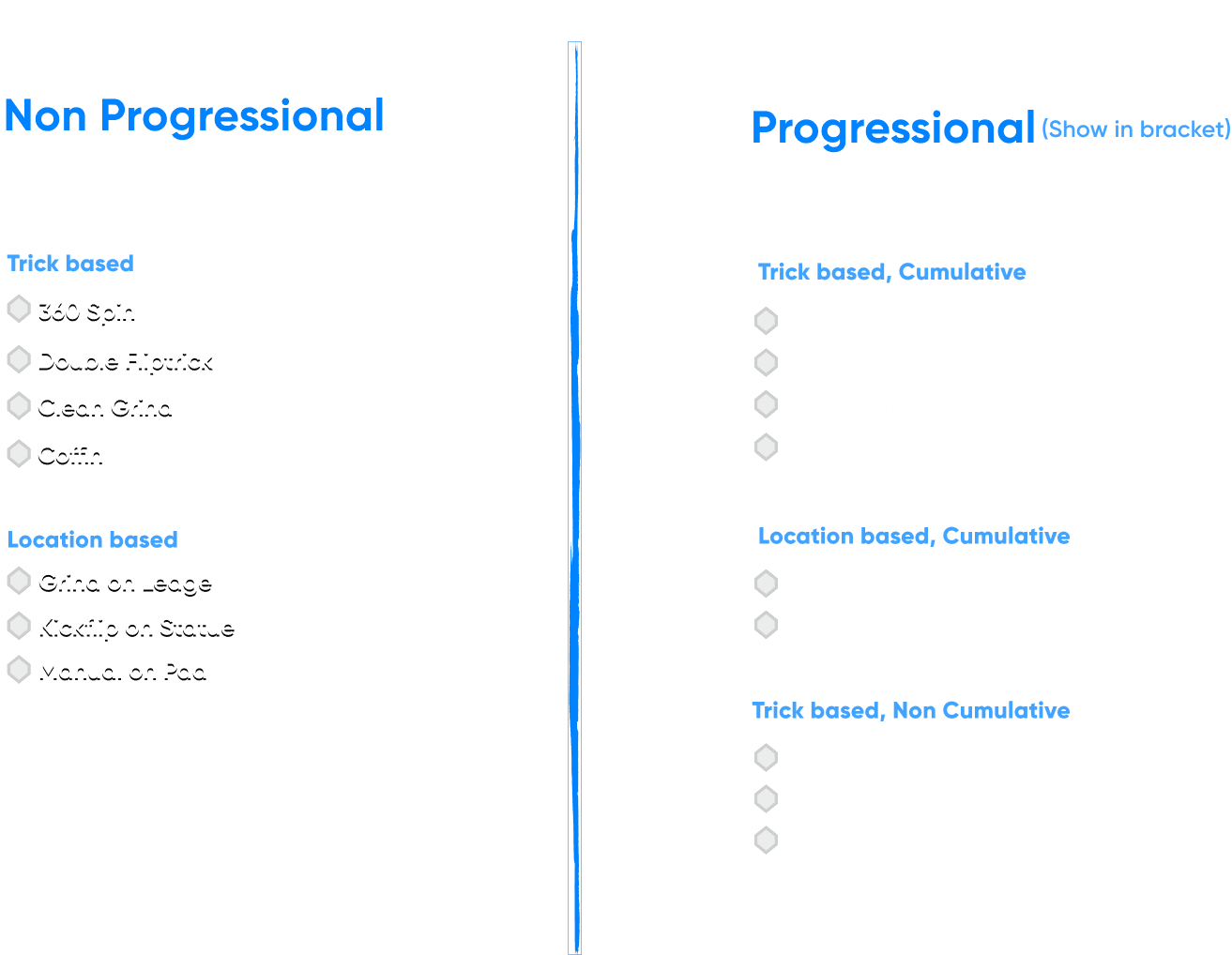
-Analyzed the Game Design Document
-Organized all types of key goals as a foundation for wireframing all scenarios
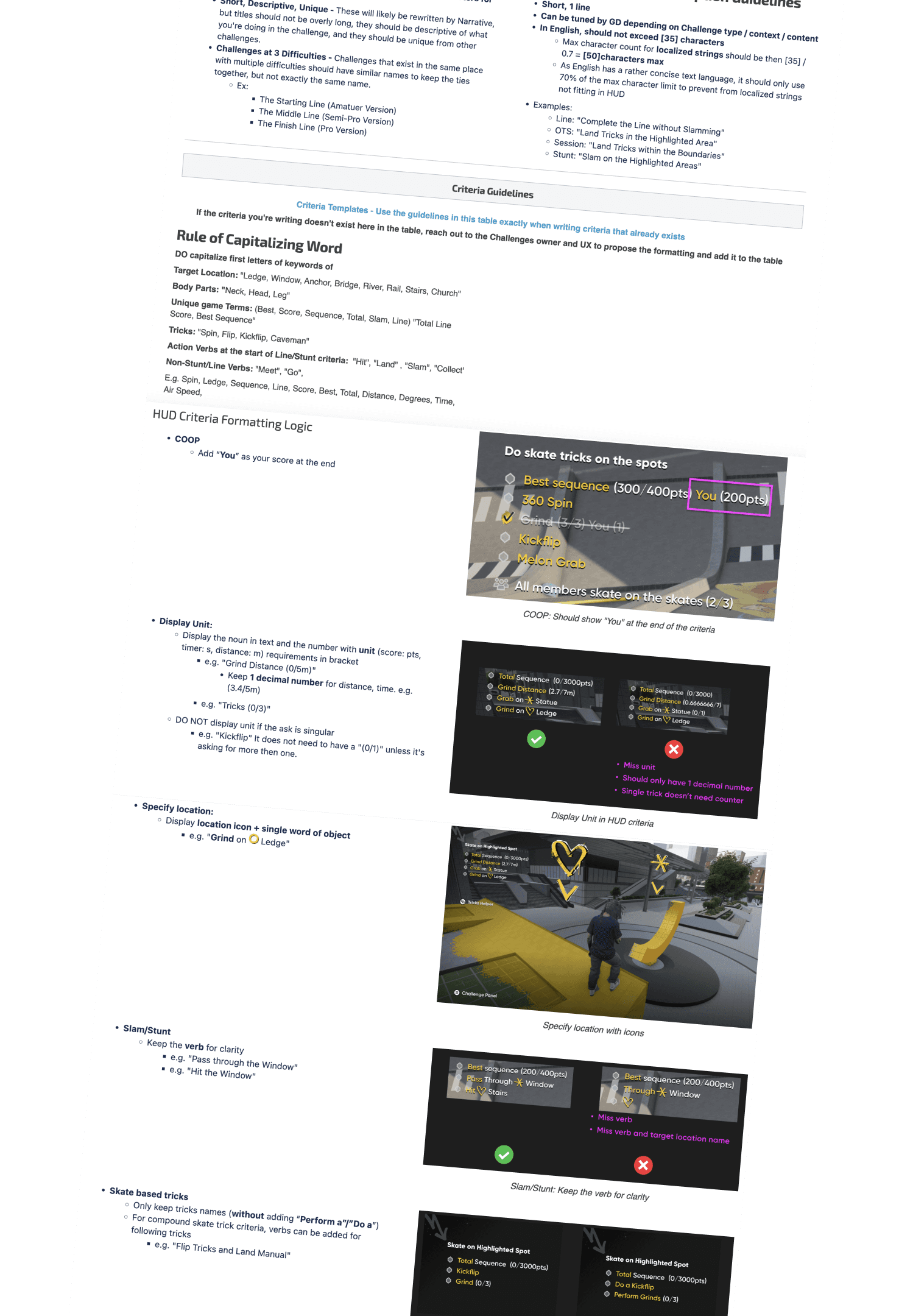
-Set UX writing guideline



Test in Map
Working with game designers and directors on paper prototype by looking for locations on the map, and playtesting them with criteria


Test in Map
Working with game designers and directors on paper prototype by looking for locations on the map, and playtesting them with criteria


Test in Map
Working with game designers and directors on paper prototype by looking for locations on the map, and playtesting them with criteria


Improve Spatial Clarity Through Iconography
During paper prototyping, we realized it was difficult for players to understand the geographical location referenced by the goal.
To improve clarity, we added a location icon to the target area, helping players quickly identify where they need to go.
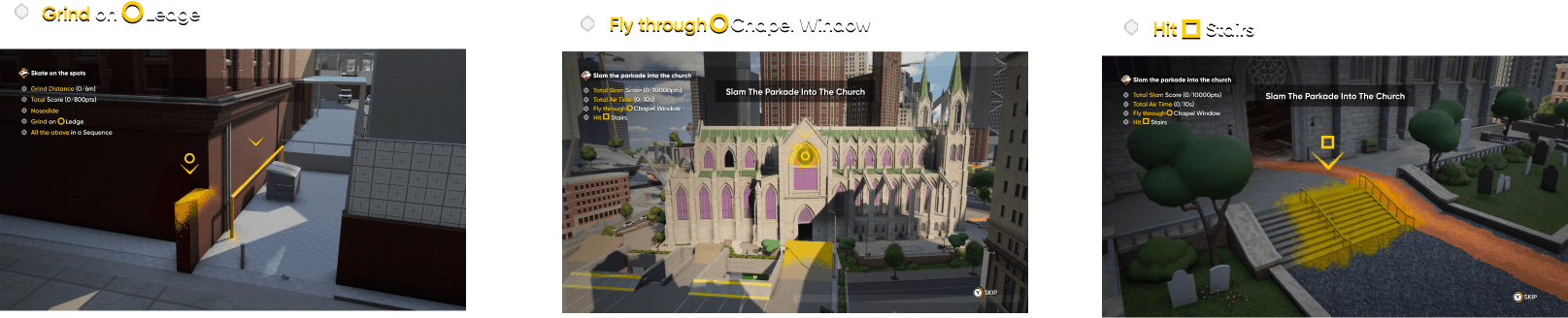

Improve Spatial Clarity Through Iconography
During paper prototyping, we realized it was difficult for players to understand the geographical location referenced by the goal.
To improve clarity, we added a location icon to the target area, helping players quickly identify where they need to go.


Improve Spatial Clarity Through Iconography
During paper prototyping, we realized it was difficult for players to understand the geographical location referenced by the goal.
To improve clarity, we added a location icon to the target area, helping players quickly identify where they need to go.


Following a collaborative brainstorming session with game designers to define the core Solo and Coop experiences, I mapped out a detailed user flow to establish a clear foundation before moving into wireframing.
The flow is structured around three main phases:
Start Challenge, During Challenge, and End of Challenge.
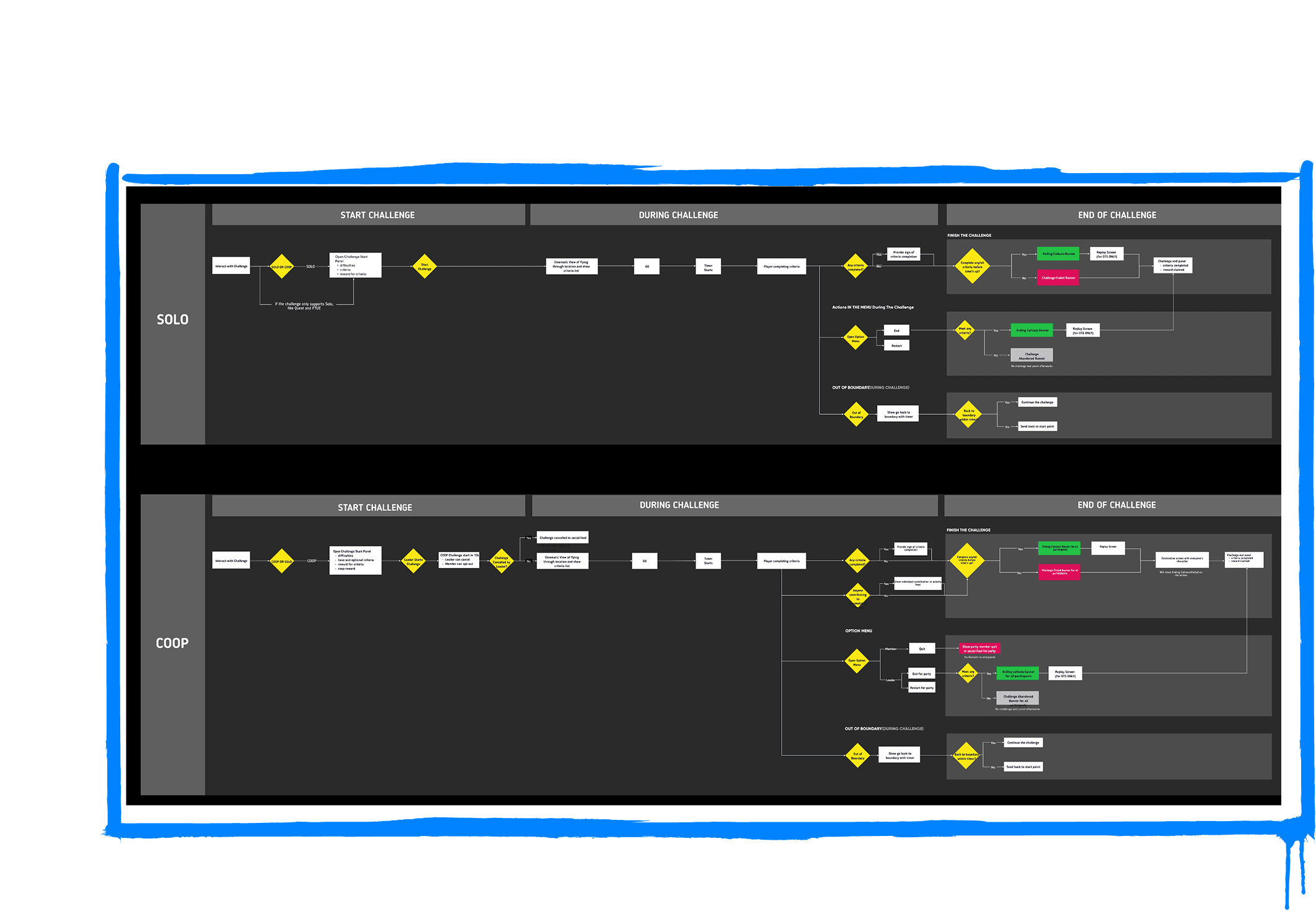


Following a collaborative brainstorming session with game designers to define the core Solo and Coop experiences, I mapped out a detailed user flow to establish a clear foundation before moving into wireframing.
The flow is structured around three main phases:
Start Challenge, During Challenge, and End of Challenge.


Following a collaborative brainstorming session with game designers to define the core Solo and Coop experiences, I mapped out a detailed user flow to establish a clear foundation before moving into wireframing.
The flow is structured around three main phases:
Start Challenge, During Challenge, and End of Challenge.


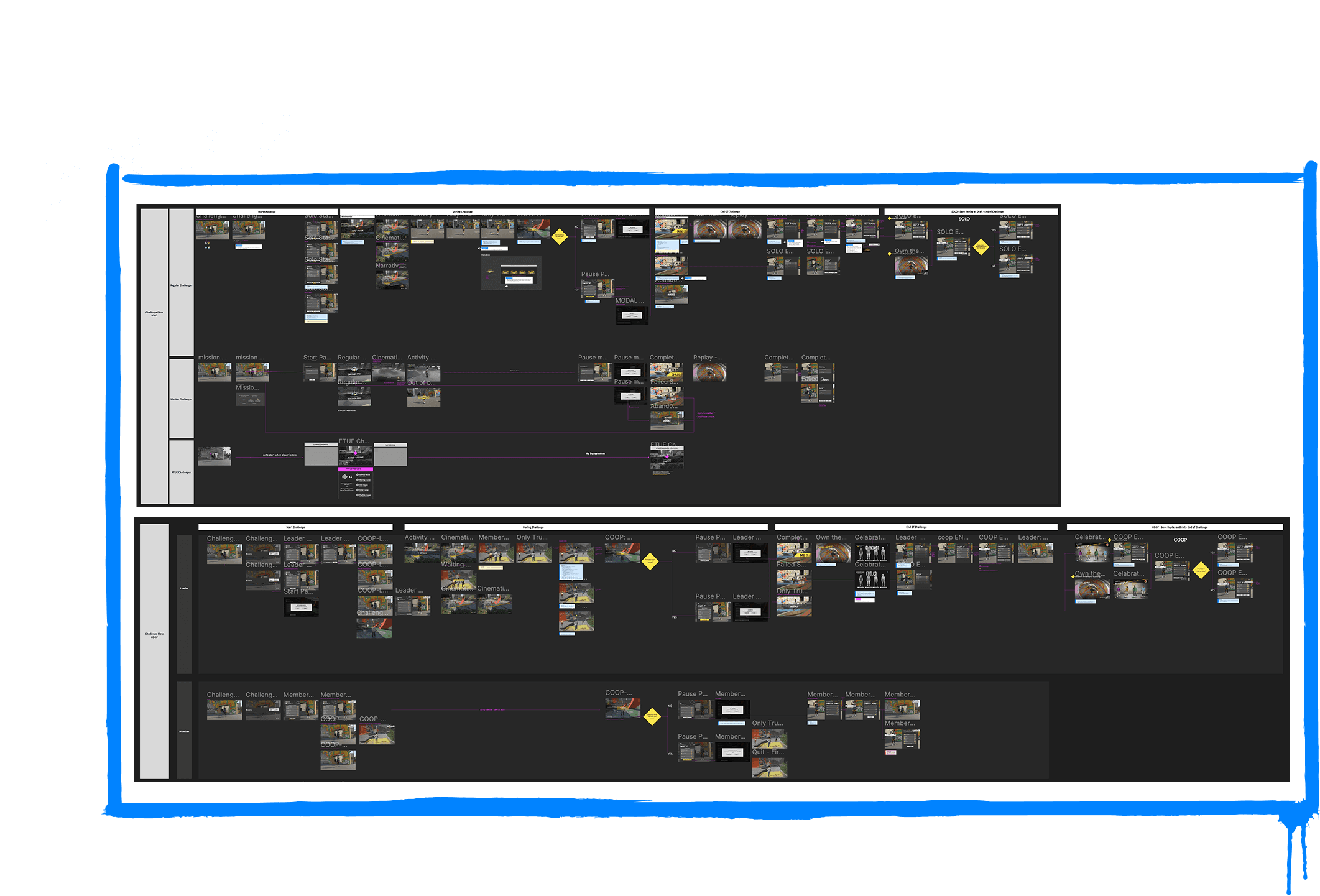
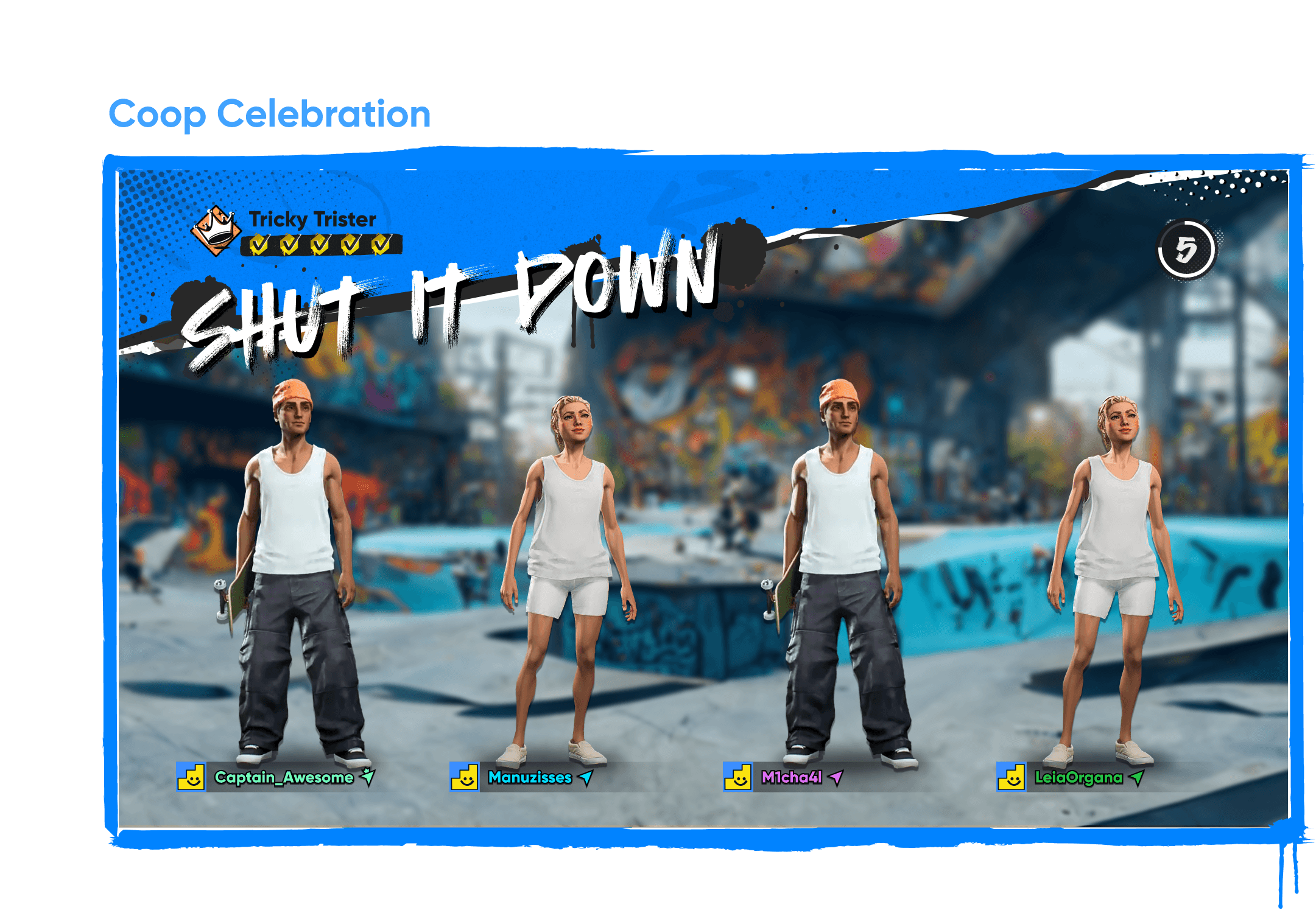
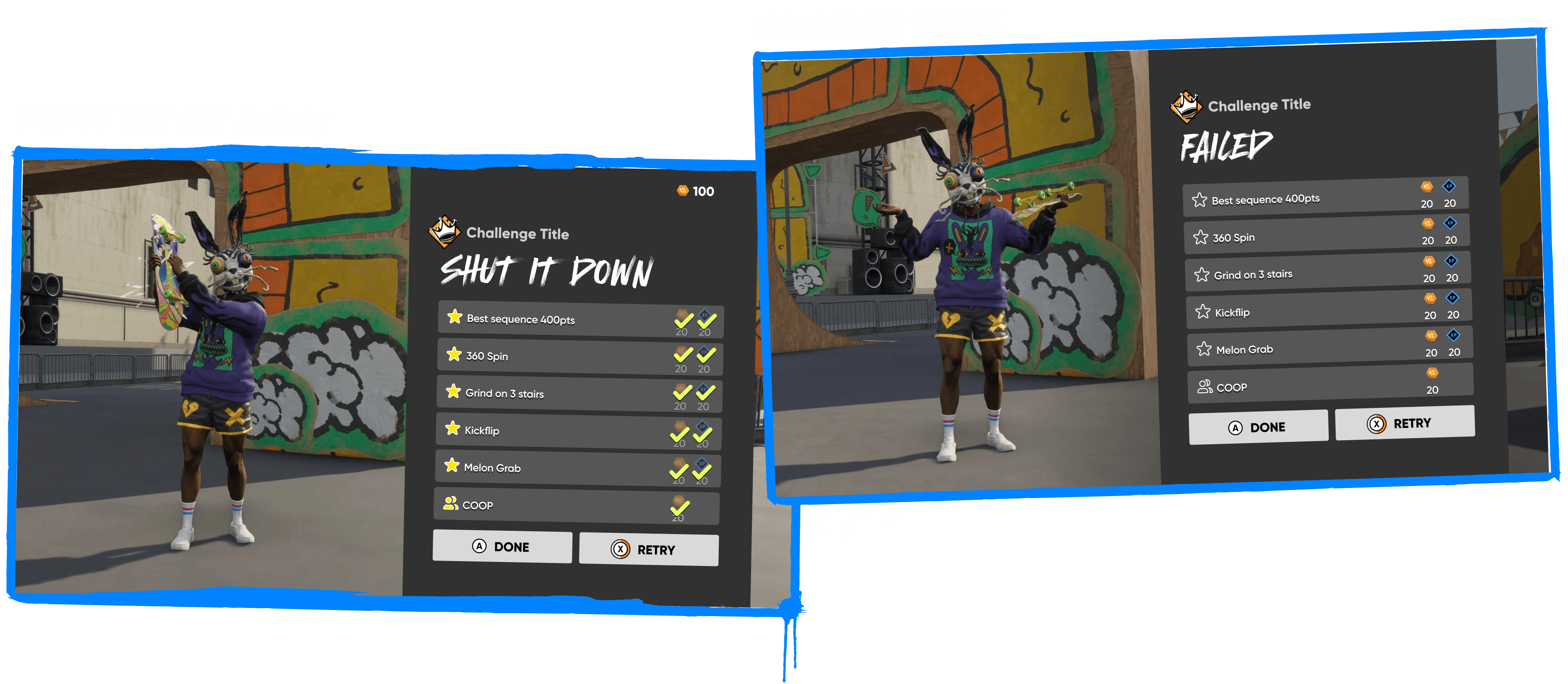
Based on the user flow, I wireframed all scenarios including potential edge cases to ensure comprehensive coverage of the player experience.

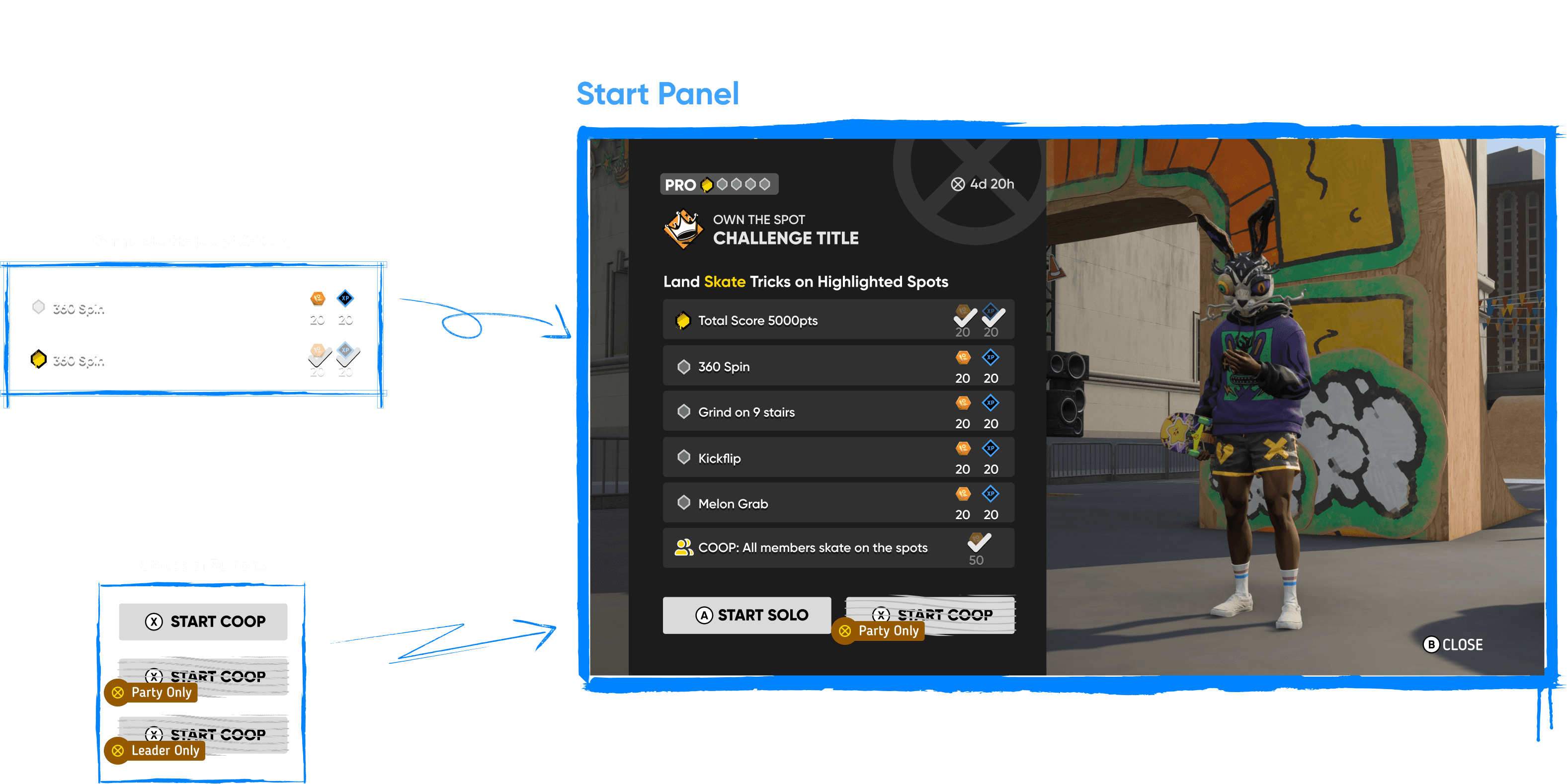
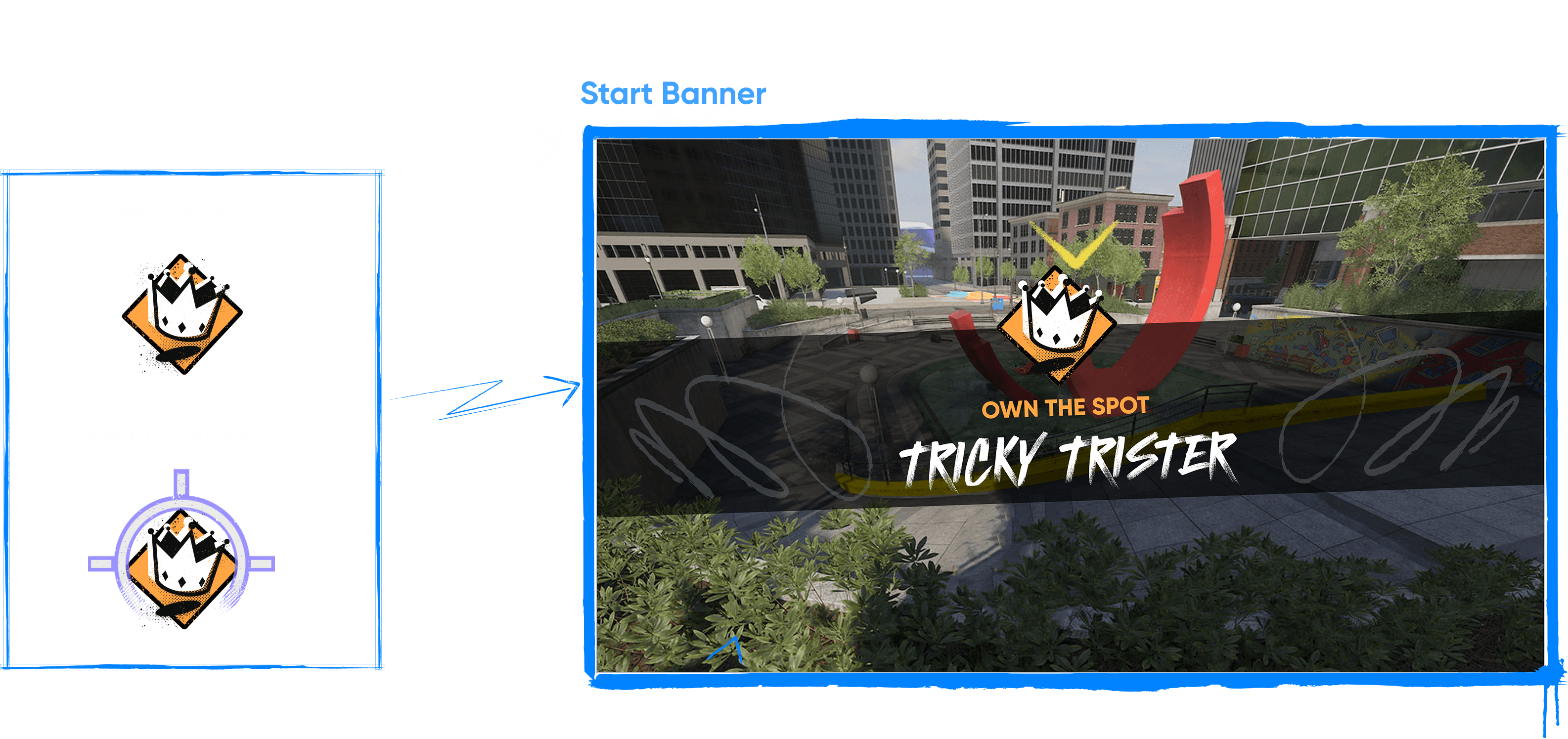
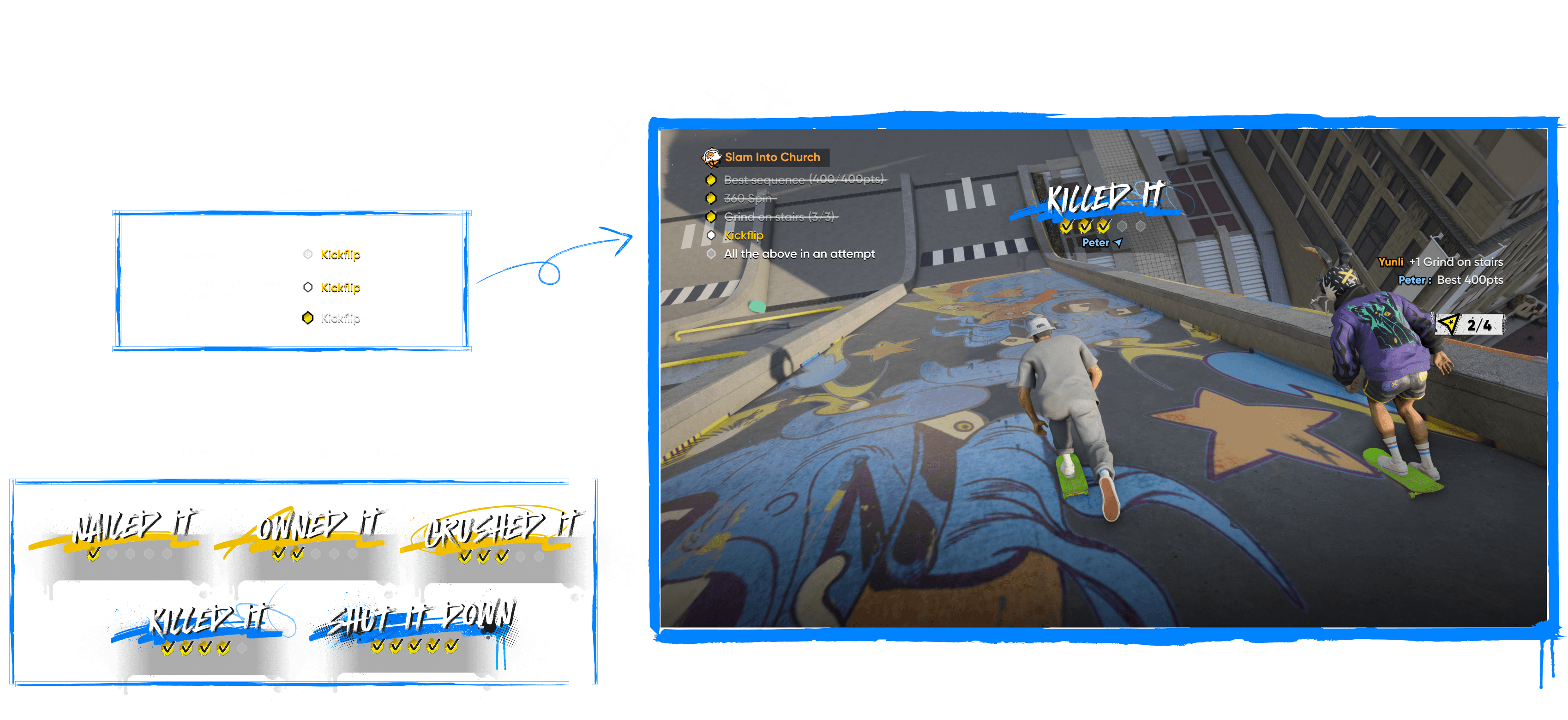
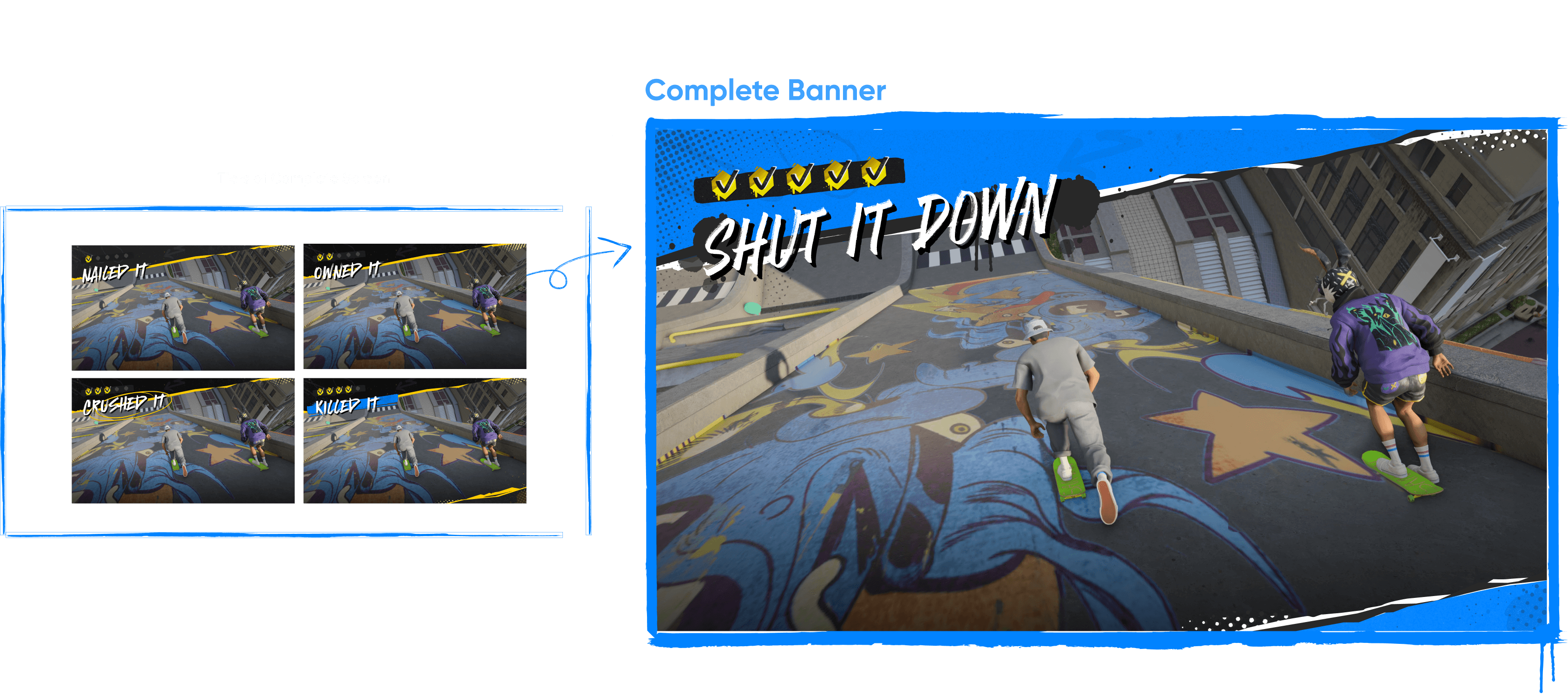






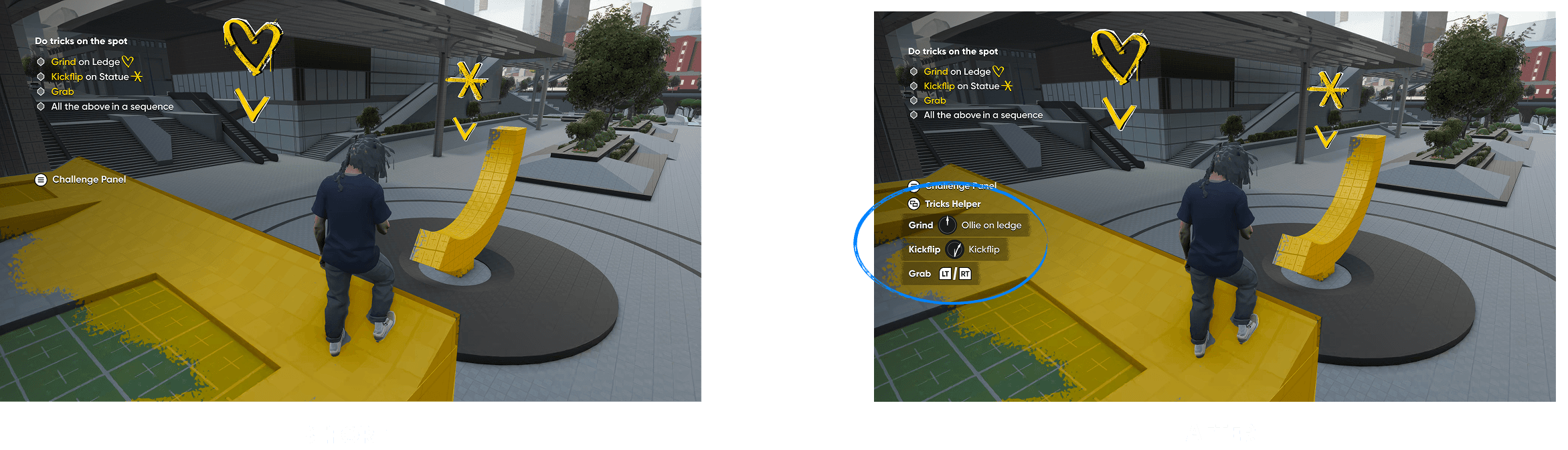
Add Trick Helper
There are tons of tricks and flick-it gestures for kickflip tricks. Players had trouble remembering trick inputs, so having a trick helper could support them in completing challenges more easily.


“Here, we’re focusing on completing the challenge. So this, the Tricks Helper, is really good. Especially if you’re starting to learn about the game”
— Tester 1
“Here, we’re focusing on completing the challenge. So this, the Tricks Helper, is really good. Especially if you’re starting to learn about the game”
— Tester 1
“Here, we’re focusing on completing the challenge. So this, the Tricks Helper, is really good. Especially if you’re starting to learn about the game”
— Tester 1
“I was referencing it a lot more”
— Tester 2
“I was referencing it a lot more”
— Tester 2
“I was referencing it a lot more”
— Tester 2
“I think the Trick Helper helped a lot. In case I forgot for a second, how to do a specific thing, i could always look to the left and be like, okay, down up is this, down right is this”
— Tester 3
“I think the Trick Helper helped a lot. In case I forgot for a second, how to do a specific thing, i could always look to the left and be like, okay, down up is this, down right is this”
— Tester 3
“I think the Trick Helper helped a lot. In case I forgot for a second, how to do a specific thing, i could always look to the left and be like, okay, down up is this, down right is this”
— Tester 3
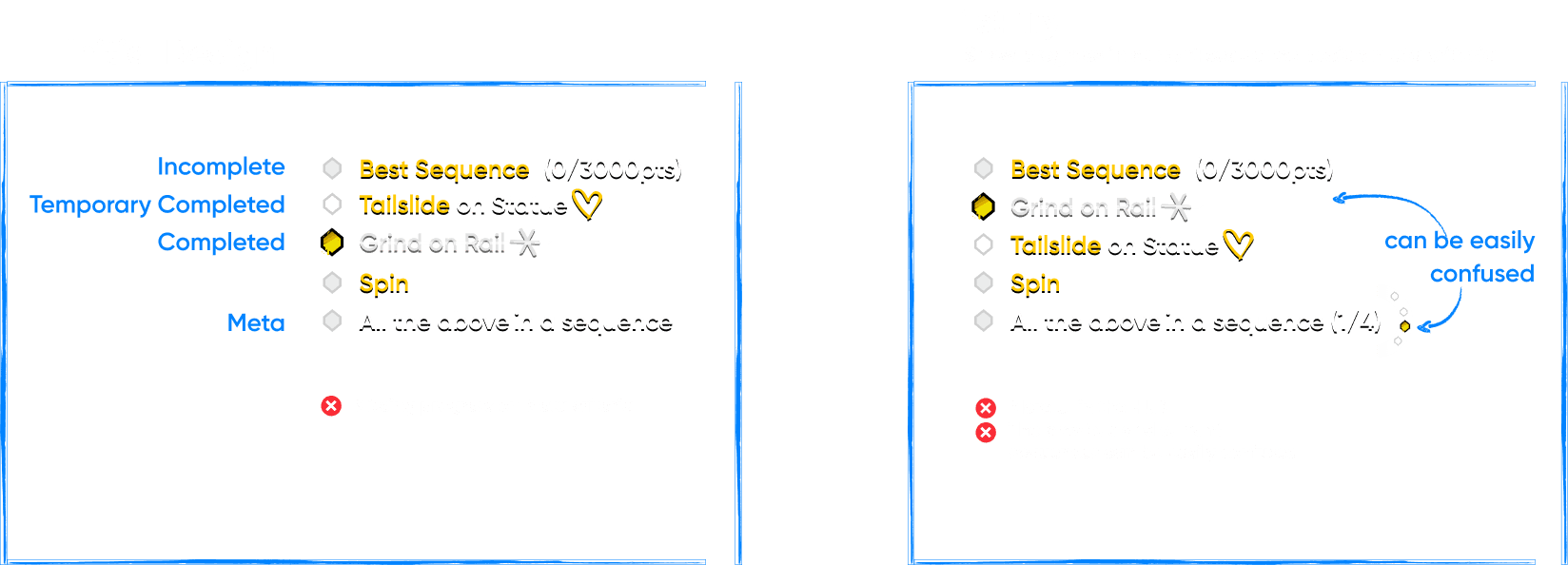
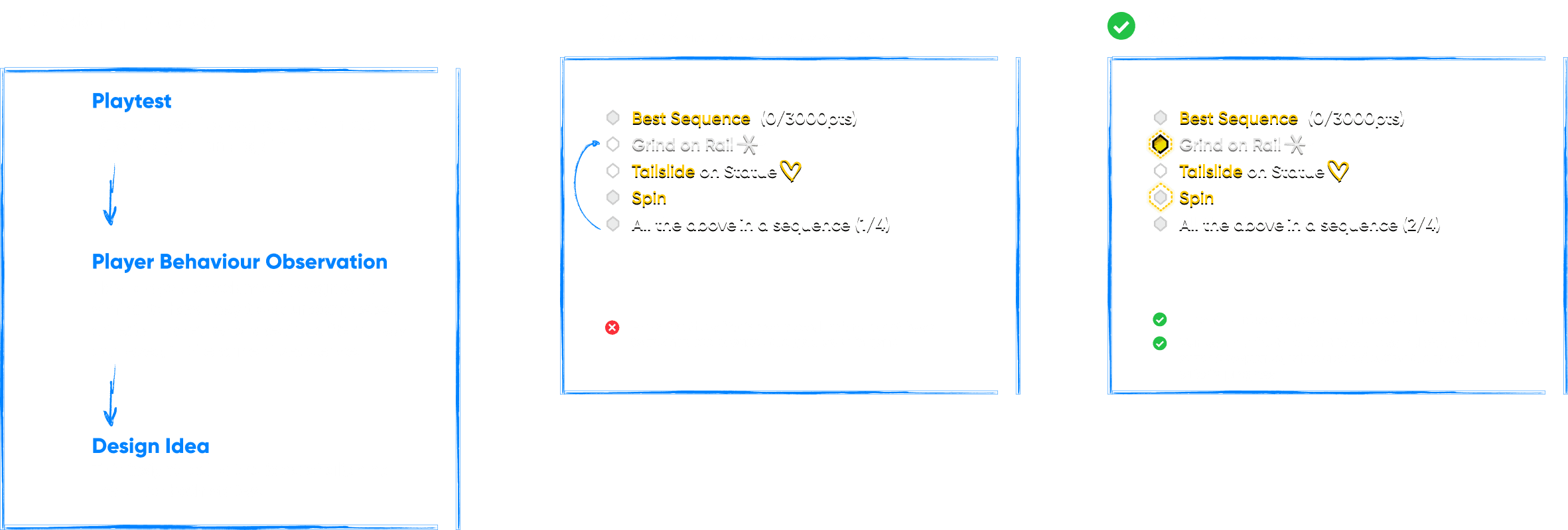
Visualize progress on Meta Criteria
Meta Criteria requires players to "Complete all criteria above".
Difficulties
Player can complete a single criteria while requiring to complete all criteria in a sequence. We need to visualize several states
-Completed
-Incomplete
-Temporary completed (before player land successfully)
-Progress on Meta Criteria



Save Challenge Replay
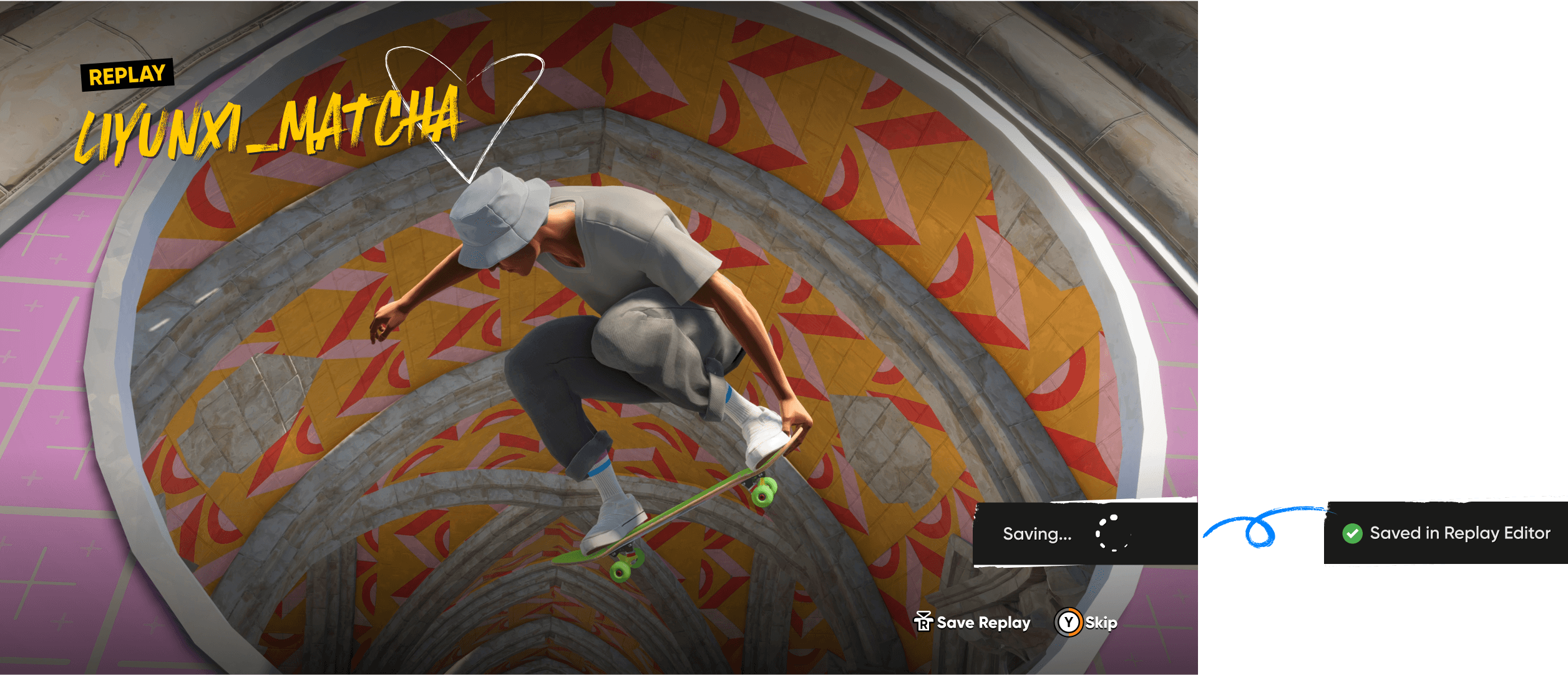
From observing player behavior, we noticed that many players tend to open the replay editor right after completing a challenge or landing a series of cool tricks. Challenge replays often provide cinematic camera angles, enhancing the visual impact of those moments. By having a “Quick Save Replay” button, we enabled players to instantly capture and revisit their highlight moments, making it easier to export and edit them directly within the replay editor.
Testimonials
“What impresses me the most is this solution (Meta Criteria progression visualization). It uses a minimal UI and is also technically very simple to implement.”
"Kristine has a great design mindset and always brings fresh ideas that inspire the team. She’s super supportive, great to brainstorm with, and makes every collaboration enjoyable. Whether it’s tackling tough design challenges or refining the details, she puts a lot of thought into everything she does. Love working with her!"
"Kristine is absolutely killing it as we work to close out MVP. She's playing the build, checking all the content/systems against the UX standards and guidelines (which she helped us develop), and really chasing down a ton of threads and making sure no loose ends are falling through the cracks and that all the UX flows and elements and signs and feedback are coming together as designed and helping to improve ones that aren't hitting the mark. She's a great example of the importance of the UX role at this stage of gameplay and how they can be best used to get everything to the best quality it can be for the player."